
Download ZeroWork – Automate Tasks with AI Power
Overview
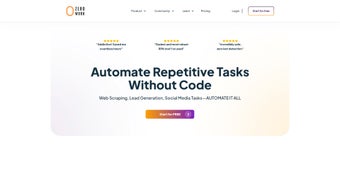
ZeroWork is an innovative, web‑based automation platform that brings the power of artificial intelligence to everyday task management. Designed for both businesses and freelancers, ZeroWork removes the need for any programming knowledge by offering a visual drag‑and‑drop interface that lets users create “TaskBots” for a wide variety of repetitive processes. Whether you need to scrape product data from e‑commerce sites, generate qualified leads from public directories, or keep your social media accounts alive with auto‑posting and automated replies, ZeroWork provides a single, secure hub for orchestrating these activities.
The platform also embeds native ChatGPT functionality, allowing users to generate high‑quality content, draft email responses, or create personalized messaging on the fly. With a rapidly growing community of over 10,000 agencies, startups, and independent professionals, ZeroWork has positioned itself as a go‑to solution for anyone looking to boost productivity, reduce manual effort, and stay ahead of the competition without investing in costly custom development. Its cloud‑first architecture ensures that all automations run reliably 24/7, while the built‑in analytics give you insight into performance, error rates, and ROI.
In short, ZeroWork turns complex, time‑ consuming workflows into simple, repeatable processes that anyone can launch with a few clicks.
Key Features & AI Capabilities
- Visual Drag‑and‑Drop Builder: Create workflows by connecting blocks, no code required.
- Web Scraping Engine: Extract data from any public website, with built‑in pagination and captcha handling.
- Lead Generation Suite: Filter, enrich, and export contact information directly to CSV or CRM.
- Social Media Automation: Schedule posts, auto‑reply to comments, and manage multiple accounts from one dashboard.
- Native ChatGPT Integration: Generate blog snippets, ad copy, and automated replies using AI‑driven language models.
- Data Enrichment & Transformation: Clean, merge, and format scraped data before exporting.
- TaskBots Library: Pre‑built bots for common scenarios like price monitoring, review aggregation, and newsletter creation.
- Real‑Time Monitoring & Alerts: Receive instant notifications on task completion, failures, or data anomalies.
- Collaboration Tools: Share bots with teammates, assign permissions, and track changes via version history.
- Secure Cloud Hosting: All workflows run on encrypted servers with daily backups and GDPR‑compliant data handling.
Installation, Setup & Daily Workflow
Getting started with ZeroWork is intentionally straightforward. Since it is a cloud‑based SaaS product, there is no traditional “install” process; you simply sign up, verify your email, and you’re ready to build. The onboarding wizard walks you through the creation of your first TaskBot in under five minutes.
First, choose a template from the library or start with a blank canvas. Drag the desired modules—such as “Web Scraper,” “Data Cleaner,” or “ChatGPT Writer”—onto the workspace and connect them with arrows that define the execution order. Each block offers configurable parameters, including URL patterns, CSS selectors, API keys, or language prompts, which you can fine‑tune using the built‑in preview pane.
Once your workflow is saved, you can schedule it to run on a recurring basis (hourly, daily, weekly) or trigger it manually whenever you need fresh data. The platform also supports webhooks, enabling real‑time integration with tools like Zapier, Slack, or custom REST endpoints. During execution, a live log displays each step’s status, and any errors are highlighted with suggestions for resolution.
After the bot finishes, results are stored in the “Outputs” tab, where you can download CSV files, push records to a CRM, or feed the data into another TaskBot for further processing. For teams, ZeroWork offers role‑based access control, so administrators can delegate bot ownership while maintaining overall security. Finally, the analytics dashboard provides key metrics—run frequency, data volume, success rate—helping you continually refine your automations for maximum efficiency.
Compatibility, Pros & Cons
ZeroWork runs entirely in the browser, making it compatible with any modern operating system that supports a recent version of Chrome, Edge, Firefox, or Safari. Because the heavy lifting occurs on ZeroWork’s secure cloud servers, you do not need powerful local hardware, and the same experience is delivered on Windows 10+, macOS 11+, Linux distributions, as well as on mobile browsers for quick monitoring. Below is a concise summary of the platform’s strengths and areas where it could improve.
- Windows 10 / 11 (any recent browser)
- macOS Catalina (10.15) and later
- Ubuntu 20.04 LTS and other major Linux distros
- Chrome, Edge, Firefox, Safari – latest versions
- iOS Safari & Android Chrome – read‑only dashboard access
Pros
- Zero‑code visual builder makes automation accessible to non‑technical users.
- Integrated ChatGPT saves time on content creation and customer communication.
- Robust web‑scraping capabilities handle pagination, authentication, and anti‑bot measures.
- Cloud‑first architecture guarantees 24/7 uptime without local resource constraints.
- Extensive library of pre‑built TaskBots accelerates common workflows.
- Granular permission system supports teamwork and agency‑level collaboration.
- Free tier provides generous usage limits, ideal for freelancers and small teams.
Cons
- Advanced features (e.g., premium AI models, high‑volume scraping) require a paid subscription.
- Limited offline capability – everything depends on internet connectivity.
- Learning curve for complex multi‑step automations can be steep for absolute beginners.
- Export formats are primarily CSV; native JSON or XML exports are only available on higher plans.
- Support response times may vary during peak usage periods.
Conclusion, FAQ & Next Steps
ZeroWork stands out as a comprehensive, AI‑enhanced automation platform that bridges the gap between simple task scheduling tools and full‑blown custom scripting solutions. By combining a visual workflow designer with powerful web‑scraping, lead generation, and native ChatGPT capabilities, it empowers users of all skill levels to automate repetitive processes that would otherwise consume valuable hours each week. The cloud‑based delivery model ensures that you can scale from a solo freelancer to a multi‑department agency without worrying about infrastructure.
While the free plan is generous enough to test most core features, organizations with high‑volume data needs or specialized AI models should consider the paid tiers to unlock additional capacity and priority support. Overall, ZeroWork delivers a compelling value proposition: save time, reduce errors, and focus on strategic work rather than manual data collection or repetitive posting. If you’re ready to streamline your workflows and harness AI without writing a single line of code, click the download button below, create your account, and start building your first TaskBot today.
Frequently Asked Questions
Is ZeroWork completely free to use?
ZeroWork offers a free tier that includes up to 5 active TaskBots, 10,000 scraped records per month, and basic ChatGPT access. Premium plans unlock higher limits, advanced AI models, and priority support.
Do I need to install any software on my computer?
No. ZeroWork is a fully web‑based SaaS platform. All you need is a modern browser and an internet connection.
Can ZeroWork integrate with my existing CRM?
Yes. ZeroWork supports native integrations with popular CRMs such as HubSpot, Salesforce, and Pipedrive via built‑in connectors or webhooks.
How secure is the data I scrape and store?
All data is transmitted over TLS 1.2+ encryption, stored on GDPR‑compliant servers, and backed up daily. Access controls ensure only authorized users can view or export data.
Can I schedule a TaskBot to run at specific times?
Absolutely. ZeroWork’s scheduler lets you set tasks to run hourly, daily, weekly, or on custom cron expressions.
ZeroWork provides an intuitive visual interface combined with powerful AI features, making it a standout automation solution for both small teams and large agencies. The platform’s ability to handle complex web‑scraping and generate high‑quality content via ChatGPT without any coding is a major advantage. While the free tier is generous, power users will likely need a subscription to unlock higher data limits and premium AI models. Overall, ZeroWork earns a solid rating for its ease of use, feature depth, and reliable cloud infrastructure.- Pros: No‑code builder, AI integration, robust scraping.
- Cons: Premium pricing for high volume, limited offline use.






